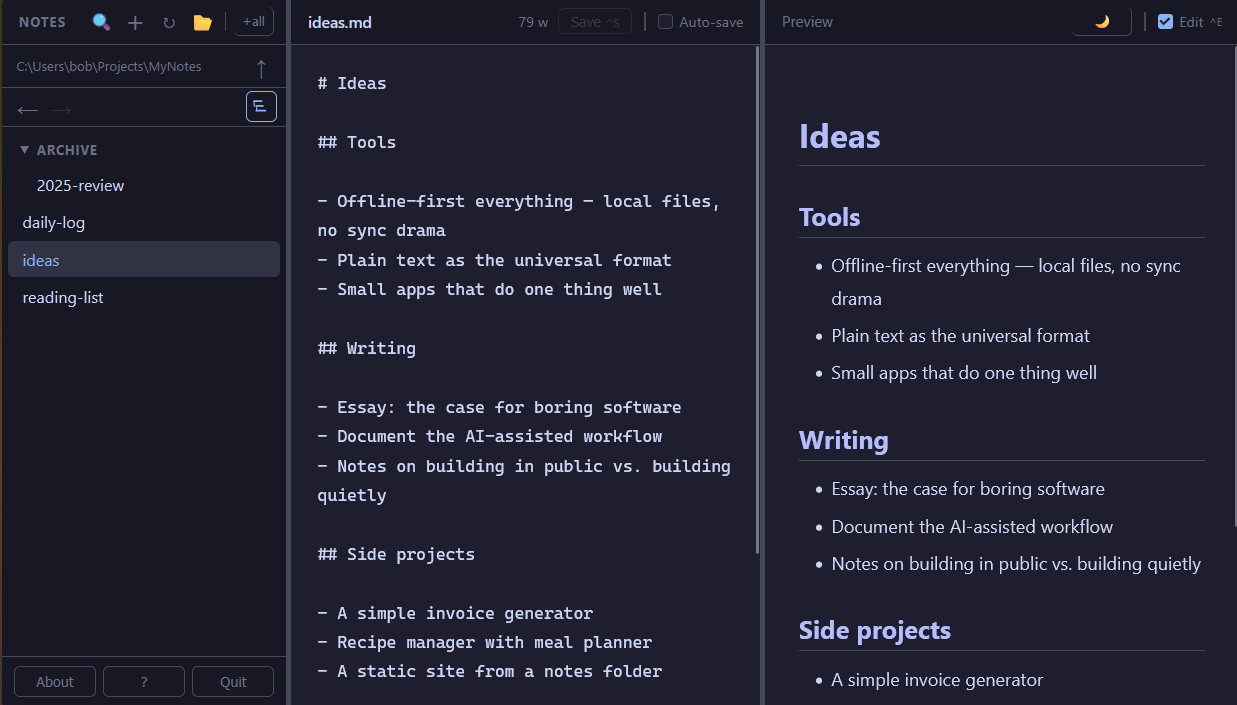
No cloud. No account. No Electron. Opens in any browser — Firefox, Chrome, Safari, Zen — and reads and writes your .md files directly on your machine. A natural fit for AI workflows: point it at your prompts, context files, or agent instructions. All yours, all offline.
Your notes are plain .md files in a folder you choose. Open them in any editor. Back them up however you like. No export step, no lock-in. Unlike browser-based editors that save to browser storage — gone the moment you clear your cache — OwnMark writes to your actual filesystem.
Claude Code, Cursor, Aider, and most AI tools speak Markdown. Point OwnMark at the same folder your AI uses — prompts, context files, agent instructions — and you have a fast, searchable editor for everything your AI reads and writes. Offline. Private. No copy-paste required.
Download one file (~50 MB). Double-click it. No installer, no runtime to manage, no Node.js required. It just starts. Apps that bundle their own browser runtime weigh 150–200 MB — OwnMark is a fraction of that.
Not Electron. Not a bundled WebView. Firefox, Chrome, Arc, Vivaldi, Zen, Safari — whichever you run, OwnMark opens in it, with your extensions, your zoom, your bookmarks. There is no other local-first notes app that does this.
No internet connection required — not even to start. All assets are bundled. Your notes stay on your machine.
Because OwnMark runs a real local server, there's a REST API right there. Automate it, integrate it, inspect it with curl.
We're not trying to be Obsidian. Here's what we are.
| OwnMark | Obsidian | Notion | Dillinger † | |
|---|---|---|---|---|
| Runs in your own browser | ✓ | ✗ | ✗ | ✓ |
| Direct file system access | ✓ | ✓ | ✗ | ✗ |
| Your files, plain text | ✓ | ✓ | ✗ | ✗ |
| No account required | ✓ | ✓ | ✗ | ✓ |
| No internet required | ✓ | ✓ | ✗ | ✗ |
| Scriptable REST API | ✓ | ✗ | paid | ✗ |
| Executable size | ~50 MB | ~300 MB | web app | web app |
| Plugin ecosystem | — | large | — | — |
If you want a plugin ecosystem and a graph view, use Obsidian — it's excellent. OwnMark is for people who want something small, immediate, and out of the way.
† Dillinger stores notes in browser storage rather than as files on your machine. Access to your local file system requires import/export.
Nothing you don't.
.md and .txt notesOne .exe file. No installer, no dependencies.
A small local server starts and your browser opens automatically.
Choose any folder on your machine. OwnMark reads and writes files there directly.
Your notes are plain .md files. They were always yours.
OwnShip is a single PHP file you drop on any shared host. Point it at the same folder of .md files — it serves them publicly, read-only, with navigation and the same three themes. No database, no CMS, no framework. Write in OwnMark, upload when ready.
Free for personal use. No installer — download and double-click.
xattr -d com.apple.quarantine OwnMark-arm64 && chmod +x OwnMark-arm64xattr -d com.apple.quarantine OwnMark-x64 && chmod +x OwnMark-x64chmod +x OwnMark-linux && ./OwnMark-linux